Try it now, 24h FREE
Set up your first review reply templates in minutes. Download the app or access the web panel and start replying smarter today.


Stop writing the same reply over and over
Create once, reuse forever. Cinquo's template library lets you build personalized reply templates with dynamic variables — filtered by star rating, shared across all your locations.
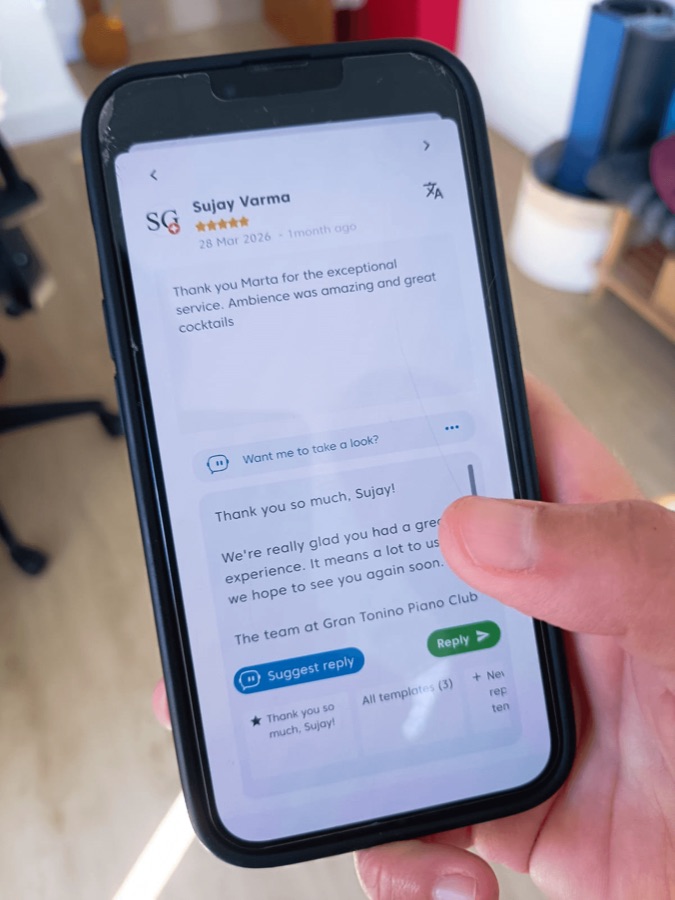
Consistency in how you reply to reviews builds trust. But writing fresh responses every time is exhausting — and skipping replies costs you rankings.
Every template reflects your tone, your vocabulary, your personality — applied instantly across every review.
Set different templates for 5-star praise and 1-star complaints. The right tone for every situation, automatically.
All your staff and managers reply with the same approved templates. No more inconsistency. No more off-brand replies.
Want to see it in action?
Book a free call with our team. No commitment, no sales pitch. Just your templates, your brand voice, and how to deploy them across your team.
Book your free demo →
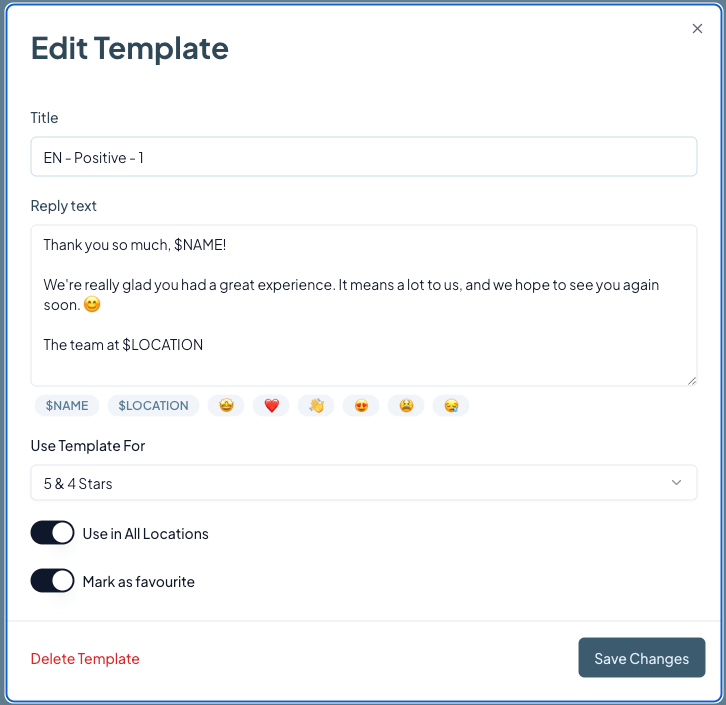
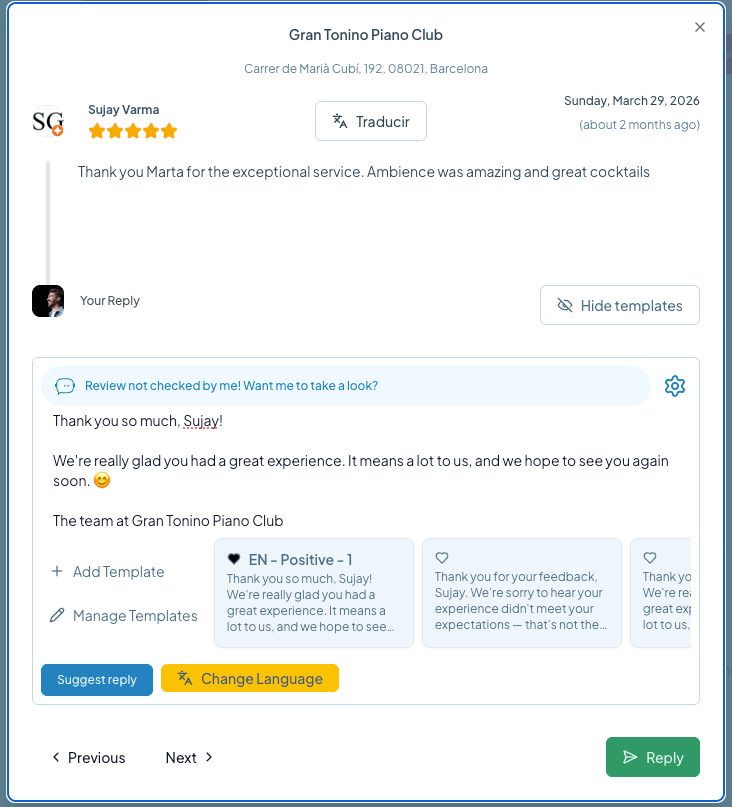
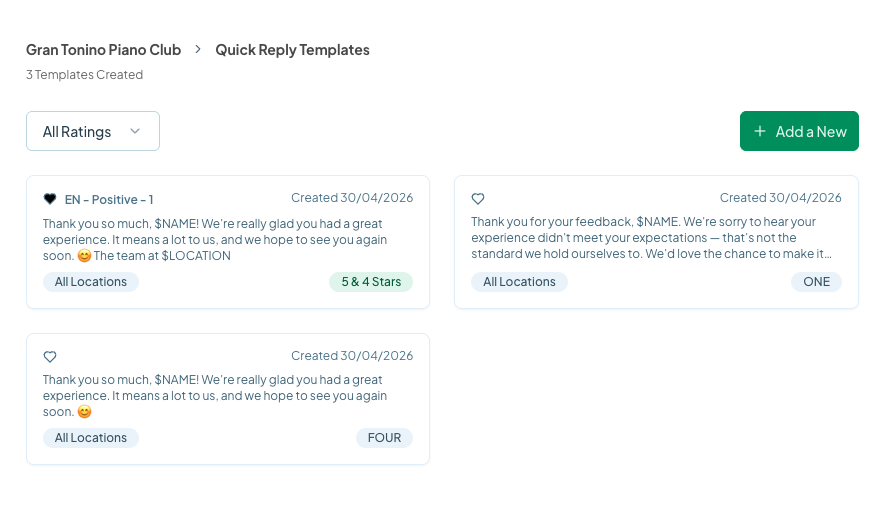
One person writes the templates — the whole team uses them
Copy, personalize, and send. These templates cover every star rating — adapt them to any business type in seconds.
Use when the customer mentions something specific — a dish, a staff member, a service detail.
Hi $NAME, Thank you so much for this wonderful review! Hearing that you loved [insert specific detail, e.g. our outdoor terrace / the quick turnaround] absolutely made our team's day. We work hard to create great experiences, and knowing it resonated with you means everything. See you next time!
Use when the customer leaves kind words but no specific detail to highlight.
Hi $NAME, We truly appreciate you taking the time to leave us such a great review! Our whole team at $LOCATION is thrilled that you enjoyed your experience. We look forward to welcoming you back again soon. Let us know if there's anything else we can do for you!
Use to acknowledge feedback, apologize sincerely, and move the conversation offline.
Hi $NAME, Thank you for bringing this to our attention. We're sorry to hear your experience didn't meet expectations — that's never the standard we aim for. We take all feedback seriously and would love the chance to make things right. Please reach out to us at [Email / Phone] and we'll personally address your concerns.
Use when a customer leaves a star rating with no written review.
Hi $NAME, Thank you for the [X]-star rating! We appreciate you taking a moment to support us. We hope to see you again soon — and if there's ever anything we can improve, don't hesitate to let us know!
Pro tips for better replies
Personalize before sending.Always replace $NAME and other bracketed placeholders before hitting reply — it takes 5 seconds and makes a real difference.
Respond within 24–48 hours.Fresh replies signal an active, attentive business to both the reviewer and anyone reading your profile.
Use Cinquo's $NAME variable.In Cinquo, $NAME auto-fills the reviewer's first name — no manual editing needed. Set it once, use it forever.











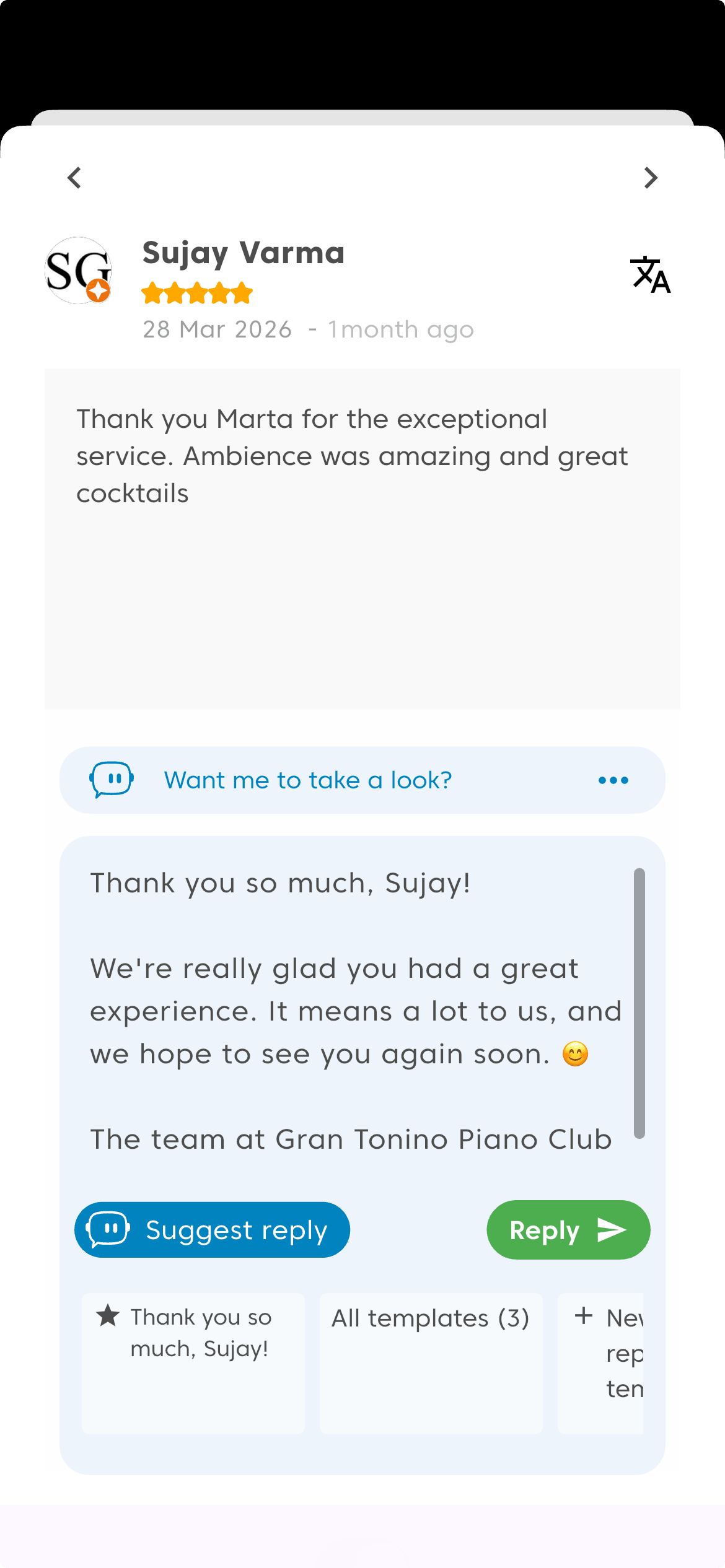
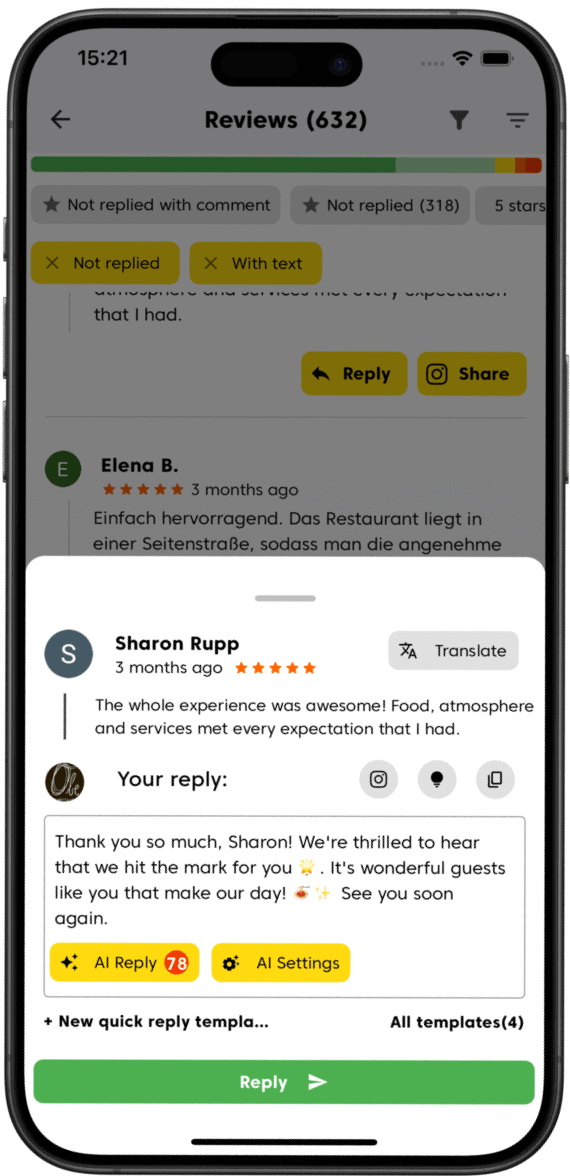
Google review reply templates are pre-written responses you create once and reuse across multiple reviews. In Cinquo, templates support dynamic variables like $NAME (the reviewer's first name) and $LOCATION (your business name), so each reply feels personal even though it starts from a template.
Yes. Cinquo lets you assign each template to a specific star rating — for example, you can have a dedicated 5-star thank-you template and a separate empathetic template for 1 and 2-star reviews. When you open a review, Cinquo automatically surfaces the most relevant templates for that rating.
Absolutely. You can toggle 'Use in All Locations' when creating a template, and it will be available to all your delegated users across every location. This is especially powerful for chains and franchises where brand consistency in review responses is critical.
Yes — templates and AI replies are complementary. You can use a template as a starting point and then refine it with the AI suggestion, or vice versa. Many of our users combine both: the template handles the structure and brand voice, the AI adds personalization based on the specific review content.
There's no hard limit on the number of templates you can create. Most businesses find that 5–10 well-crafted templates cover 90% of their review scenarios. You can mark favourites for quick access and organize them by rating or location.
Looking to save even more time? Combine reply templates with AI-assisted reply suggestions and delegated user management to let your entire team reply consistently at scale.
Set up your first review reply templates in minutes. Download the app or access the web panel and start replying smarter today.