How to manage Google reviews in a multi-location restaurant group
Guide by the Cinquo team, Google review specialists for hospitality since 2022. Updated October 2026.

A restaurant group manages Google reviews well when it splits the work between head office and each location, and connects both on one platform. Head office sets the rules: brand tone, reply templates, targets per location, the escalation path, and one consolidated view of every restaurant. Each location does the daily work: asking guests for reviews at the table, replying within the agreed time, and coaching the team. With Cinquo, head office never loses visibility of a single location, and no location has to wait for head office to act.
The workflow, in six steps:
- Connect every location. Link each restaurant's Google Business Profile to one account, so ratings, review volume and pending replies for the whole group live in one place.
- Assign roles. Give head office and area managers a Manager role with the consolidated view, and give each location's team Staff access scoped to their own restaurant. Nobody shares the Google password.
- Ask for reviews at the table. Give every waiter a personal QR code or NFC card, so each review is credited to the person who earned it.
- Set targets per location. Agree a monthly review volume and a rating goal for each restaurant, based on how many reviews it needs to reach the next rating point.
- Reply within an agreed time. Let CINTIA answer routine 4 and 5-star reviews, and route the sensitive ones to the location manager or head office.
- Review weekly, at two levels. Head office compares locations side by side. Each manager looks at their own restaurant and their own waiters. Both work from the same data.
Your reputation is earned at the table, one shift at a time, in every location. It is governed from head office. The job of a review platform is to connect those two worlds.
Restaurant groups and chains already managing their Google reviews with Cinquo







of consumers use reviews to evaluate local businesses
Source: 2025 Soci Consumer Behavior Index.
are more likely to choose a business that responds to reviews
Source: 2025 Soci Consumer Behavior Index.
active businesses manage their reviews with Cinquo
locations across 5 continents
Where your reputation lives: head office vs each location
In a single restaurant, the owner does everything: asks for reviews, reads them, replies, and fixes what guests complain about. In a group with 5, 20 or 50 locations, that model breaks. If head office tries to do everything, replies arrive days late and sound generic, and the people who actually serve the guest never see what the guest said. If every location does whatever it wants, the brand speaks with twenty different voices, nobody compares one restaurant against another, and problems only reach head office once the rating has already dropped.
The groups that get this right do not choose between centralising and delegating. They split the work by its nature. Anything that needs consistency, comparison or authority sits with head office. Anything that needs speed and proximity to the guest sits with the location. The split looks like this:
Head office owns
- Brand voice and the library of approved reply templates
- Targets per location: monthly review volume and rating goals
- The consolidated view and comparison between locations
- The escalation policy: which reviews go up, to whom, and how fast
- The incentive programme for waiters and teams
- Fake or policy-violating reviews and requests to remove them
- The level of automation each location runs with
Each location owns
- Asking for reviews on every shift, at the right moment
- Replying within the agreed time, with local detail
- Coaching waiters using their own review numbers
- Acting on what guests say about service, food and waiting times
- Flagging anything sensitive to head office early
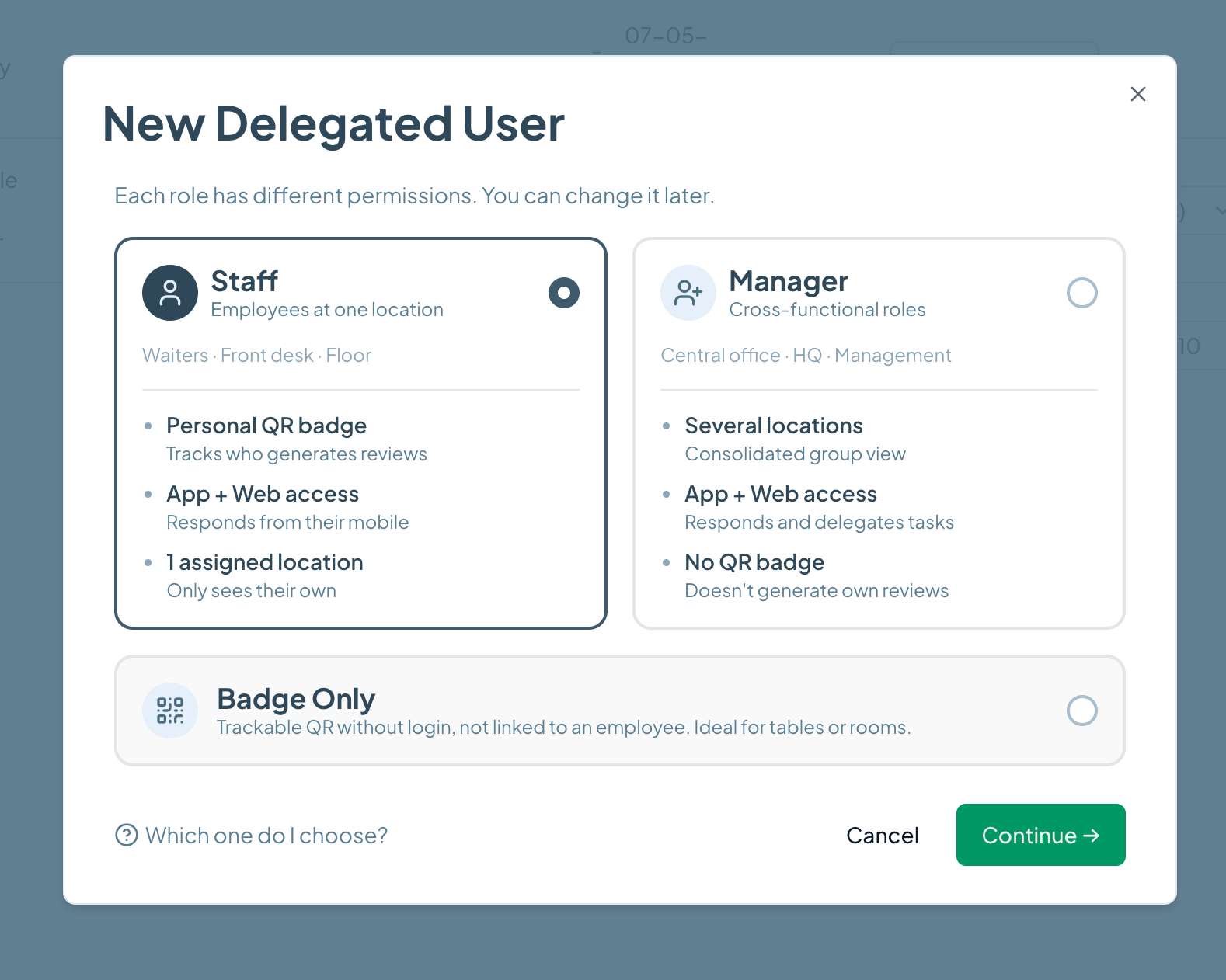
Cinquo is built around exactly this split. Head office and area managers get a Manager role with one dashboard that consolidates every location and lets them drill down into any single restaurant. Each location's team gets Staff access limited to their own restaurant, with a personal QR code so the reviews they generate are credited to them. Shared spaces such as tables, the bar or the terrace can have a Badge Only QR that tracks reviews without needing a login. Nobody shares the Google Business Profile password, and head office decides who sees what.
The rules travel from head office to the locations through the tools themselves. Templates created centrally can be shared with every location in one click. The level of automated replies can be set per location. Targets set by head office appear in each manager's view as a concrete number: how many reviews they need this month to move their rating. Head office governs, the location executes, and both look at the same numbers.
A week in a 12-location group
Monday, head office. The operations director opens the consolidated view. Ten restaurants are on track. One location has dropped from 4.6 to 4.4 in its monthly rating over three weeks, even though its overall rating still shows 4.5. Another opened two months ago and has only 40 reviews. Head office raises the volume target for the new opening and asks the area manager to visit the restaurant that is slipping.
Tuesday to Saturday, in each location. Waiters ask for reviews at the end of the meal with their personal QR codes. CINTIA replies to the 4 and 5-star reviews in each restaurant's own tone. The manager at the slipping location reads the reviews flagged as negative and sees the same pattern three times: long waits at lunch. They reply personally to each guest, and they change the rota for the lunch shift.
Friday, both levels. In the weekly operations meeting, head office looks at the ranking of locations and waiters. The manager of the slipping location brings their own numbers: response time, reviews this week, which waiters are asking and which are not. Nobody had to export a spreadsheet, and the conversation is about decisions, not about finding the data.
The review journey, end to end, and who owns each step
A review is not a single event. It is a journey that starts before the guest pays and ends after the reply is public. In a restaurant group, every step has an owner, and every step leaves data that the next level up needs to see. This is how Cinquo covers the whole journey:

- 1
Ask for the review
Owner: location (waiters)
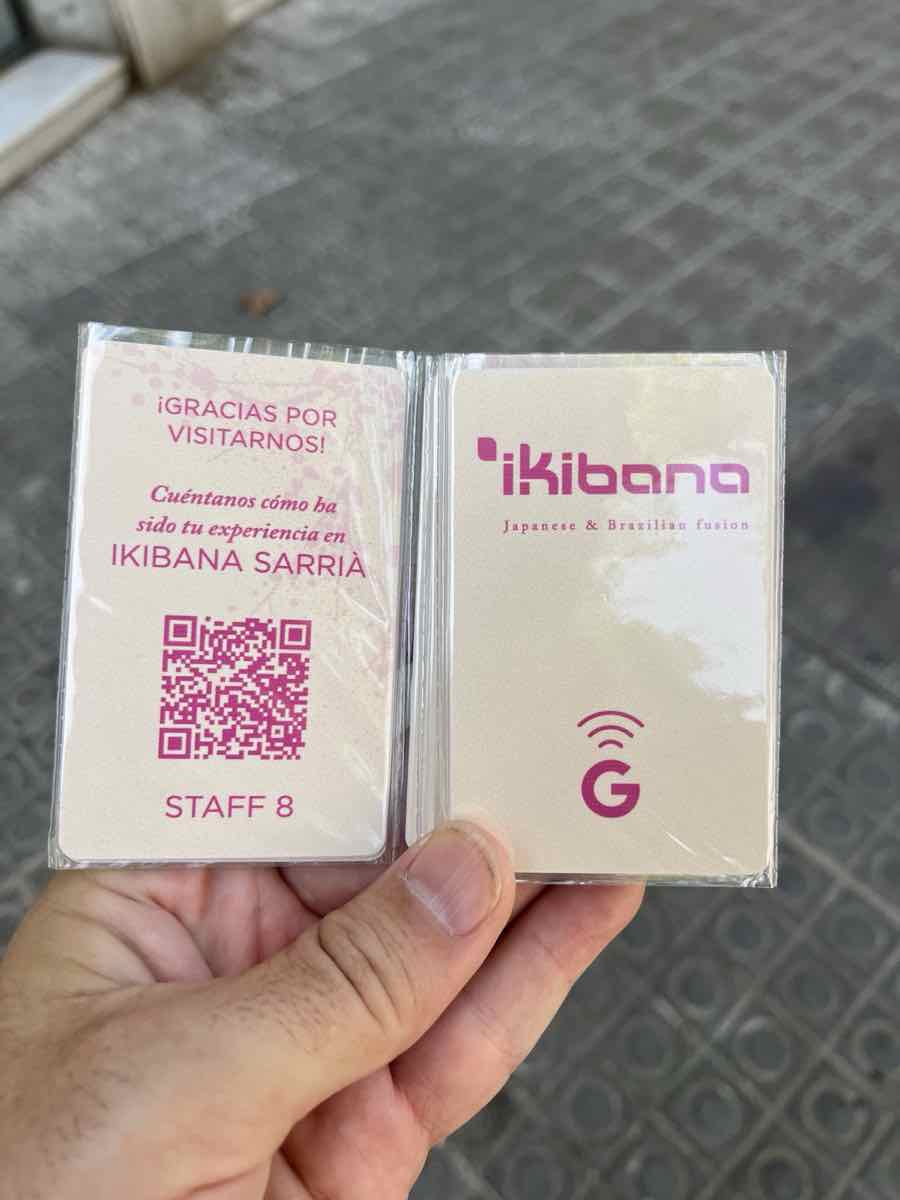
The best moment to ask is at the table, when the guest has just enjoyed the meal. Each waiter carries a personal QR code or a branded NFC card. For guests who have already left, the location can send a direct review link by WhatsApp, SMS or email.
- 2
Credit each review to the waiter who earned it
Owner: automatic, visible to both levels
Every review that comes through a personal QR code is credited internally to that waiter. The review on Google stays organic, and the attribution lives only in Cinquo. This turns "ask for reviews" from a vague instruction into something each person can see and improve. See how employee QR codes work.
- 3
Set targets
Owner: head office sets them, the location chases them
Cinquo shows how many 5-star reviews each location needs to reach its next rating point, which turns a target into a number the team can work towards. Many owners link team bonuses to this number. The Google Reviews Optimization method explains how to set targets that are realistic for each restaurant.
- 4
Run incentives and rankings
Owner: head office
Because each review is credited to a person, head office can run review rankings and incentive programmes by waiter, by location or across the group, and reward the people who grow the group's reputation every month.
- 5
Measure and monitor
Owner: both levels
The monitoring dashboard shows each location's real rating without rounding, its rating for the current period, monthly volume, response rate and response time. Head office sees all locations together, and each manager sees their own.
- 6
Understand what guests are saying
Owner: head office for patterns, the location for action
AI review analysis scores sentiment on service, food, ambience, waiting time and staff, and pulls out the topics that come up most. Head office spots patterns across the group, such as a new dish that is failing everywhere, and each location sees what to fix this week.
- 7
Reply
Owner: the location, within head office's rules
Replies can be suggested by AI for approval, published automatically by CINTIA or written from shared templates. CINTIA learns each location's own voice, and it holds back sensitive reviews for a person to handle instead of guessing.
- 8
Deal with fake or abusive reviews
Owner: head office
Cinquo checks each review against Google's prohibited content policies and alerts you when one looks like a candidate for removal, for example spam or a review written by a competitor. Centralising this keeps requests to Google consistent. See how negative review removal works.
- 9
Share the best reviews
Owner: location and marketing
Your best reviews are also marketing. Cinquo turns them into Instagram stories and posts in a couple of taps, so each location can celebrate its team and head office can feature the group's best moments.
Location-by-location monitoring: what to watch
The group's average rating is the least useful number a restaurant group can look at. A 4.6 average can hide one restaurant at 4.8 and another sliding towards 4.2. Google shows each location on its own, so that is how guests choose. Monitoring therefore has to happen restaurant by restaurant, with the same metrics everywhere so that locations can be compared fairly.
For each location, track at least these metrics:
- Real rating without rounding. Google shows 4.5, but the real figure might be 4.46 or 4.54, which means very different things.
- Rating for the current period. The average of the reviews received this month. It is the early warning: it drops weeks before the overall rating moves.
- Monthly review volume. If a location suddenly gets fewer reviews, the team has usually stopped asking.
- Reviews needed to reach the next rating point. The number that turns a goal into a plan.
- Response rate and response time. Unanswered negative reviews are visible to every future guest.
- Reviews by waiter. Who is asking, who is not, and who needs coaching.
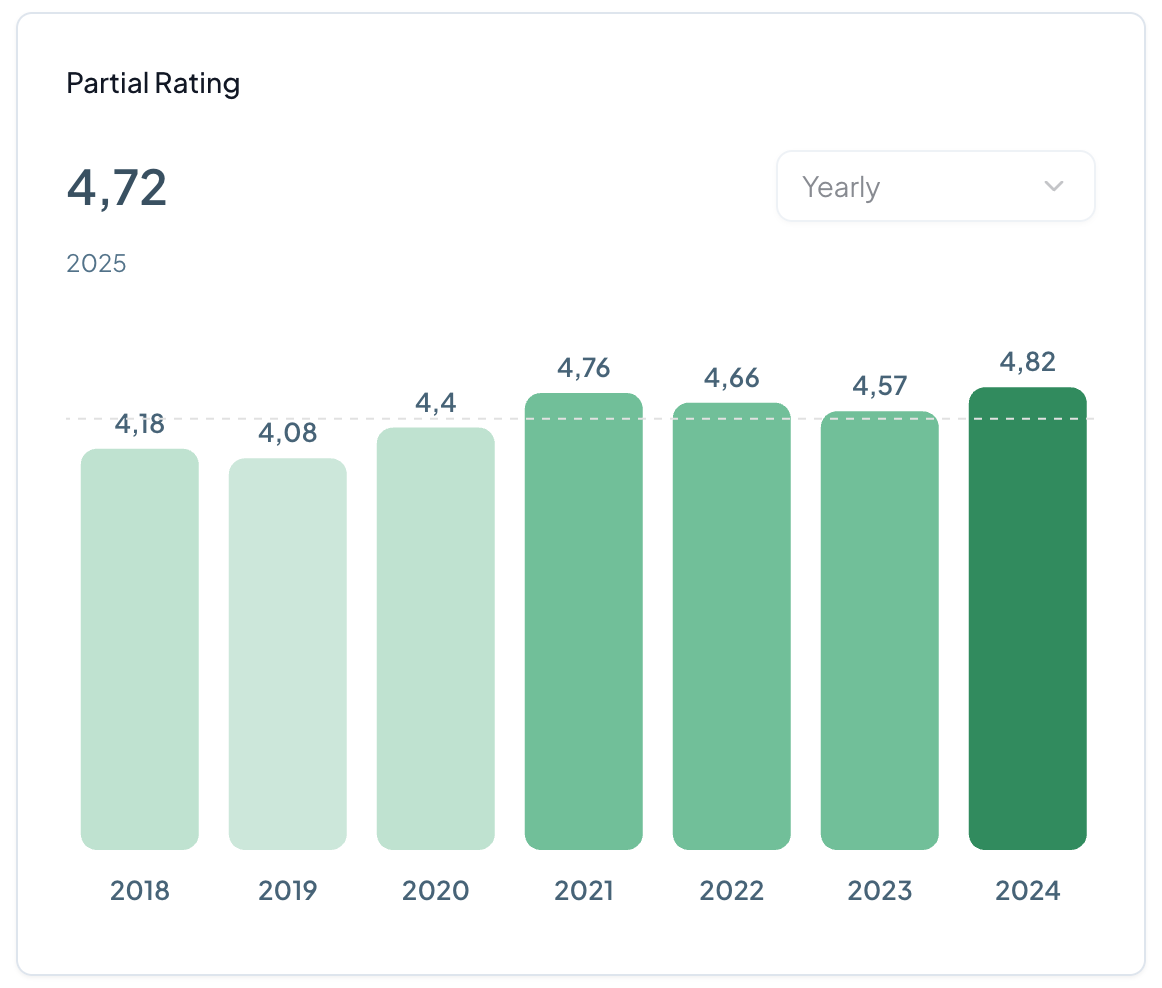
Cinquo's monitoring dashboard shows all of these for every location, with the consolidated view for head office and a focused view for each manager. Each location is compared with its own history and with the rest of the group, never just with the group average.
Who replies to what
The most common failure in restaurant groups is not a bad reply. It is a review that nobody answers because everyone assumed someone else would. The fix is a simple ownership rule that everyone knows, written down once by head office and applied the same way in every location. Here is a model that works for most groups:
| Who | Which reviews | Agreed reply time | How in Cinquo |
|---|---|---|---|
| CINTIA (AI) | 4 and 5-star reviews with no sensitive content | Minutes | Automatic publishing, in each location's own voice |
| Location manager | 3-star reviews, specific complaints about service or food | Within 24 hours | AI suggestion or shared template, personalised with local detail |
| Area manager | 1 and 2-star reviews, or a repeated complaint in one location | Within 24 hours, after speaking to the location | Manager role with the consolidated view |
| Head office | Food safety, legal or press risk, fake reviews | Same day | Escalated review and removal request |
Adjust the thresholds to your group, but keep the principle: the person closest to the guest replies, unless the review carries a risk that only head office can handle. That way replies sound local and arrive quickly, and the decisions that matter stay central.
Escalation examples
An escalation policy only works if it is concrete. "Escalate serious reviews" is not a policy, because nobody agrees on what "serious" means at 11pm on a Saturday. These four scenarios cover most of what a restaurant group will see, and they work as a template for writing your own policy:
A 1-star review mentioning food poisoning
- Trigger
- A 1 or 2-star review that mentions illness, allergens or hygiene.
- Owner
- Head office (operations and quality), with the location manager.
- Deadline
- Same day.
- Action
- The location checks the date, the shift and what was served. Head office approves a calm, factual reply that offers private contact and admits nothing until the facts are checked. Automatic replies are never used for this kind of review, and CINTIA holds back sensitive reviews precisely so a person can handle them.
A complaint that names a waiter
- Trigger
- A review that criticises a named member of staff.
- Owner
- Location manager.
- Deadline
- Reply within 24 hours, and talk to the waiter on their next shift.
- Action
- Reply without blaming the employee in public, then deal with it internally. The waiter's own review history in Cinquo tells you whether this is an isolated incident or a pattern.
A review that looks fake or written by a competitor
- Trigger
- A review from a profile with no history, with details that do not match the restaurant, or posted on a day it was closed.
- Owner
- Head office.
- Deadline
- Within 48 hours.
- Action
- Check the review against Google's policies and request removal where it applies. Locations do not reply in anger and do not report it themselves, so the group speaks to Google with one voice. See how Cinquo helps.
One location's rating starts falling
- Trigger
- The rating for the current period drops clearly below the location's usual level for two or three weeks in a row.
- Owner
- Area manager, with the location manager.
- Deadline
- Before the next weekly meeting.
- Action
- Read the latest reviews in that location with AI analysis to find the common cause, such as waiting times, a new menu or a change in staff. Agree one fix, and set a short-term review target to rebuild the rating.
Group-level vs location-level reporting
Reporting fails in restaurant groups for two opposite reasons. Head office drowns in detail it cannot act on, or locations receive a group report in which their own restaurant is just one line. The answer is two reports, built on the same data, each designed for the decisions its audience actually makes:
| Group-level reporting | Location-level reporting | |
|---|---|---|
| Audience | Management, operations director, area managers, marketing | Location manager and their team |
| How often | Weekly view, plus a monthly review | Daily check, plus a weekly look at the team |
| Key metrics | Ranking of locations, rating trend by location, total volume against target, response rate across the group | Rating for the current period, reviews still needed to reach the target, pending replies, reviews by waiter |
| Decisions it drives | Where to send the area manager, which locations need a support plan, budget for incentives, menu or process changes for the whole group | Shift and rota changes, coaching individual waiters, which reviews to reply to today |
| Where to see it in Cinquo | Consolidated view for the Manager role | Location dashboard and the app for Staff users |
Because both reports come from the same platform, there is never an argument about whose numbers are right. The location manager sees the same rating and the same volume that head office sees, only scoped to their own restaurant and their own team.
Choosing a tool for a multi-location group
Many reputation tools were built for head office: they consolidate listings and produce corporate reports, but they are not designed for the waiter asking for a review or the manager replying between shifts. Others work well for a single restaurant but fall apart once you need roles, a consolidated view and comparisons between locations. For a restaurant group, the test is simple: does the tool serve head office and the locations at the same time?
We compared the main options, including price, AI replies, multi-location support and the type of business each one is built for, in our guide to the best Google review management tools. If you want the wider picture of why reviews matter so much for chains, read Google reviews for restaurant chains.
Run a restaurant group? Tell us how many locations you have, and we'll show you how to set up head office and each location.
Talk to us on WhatsApp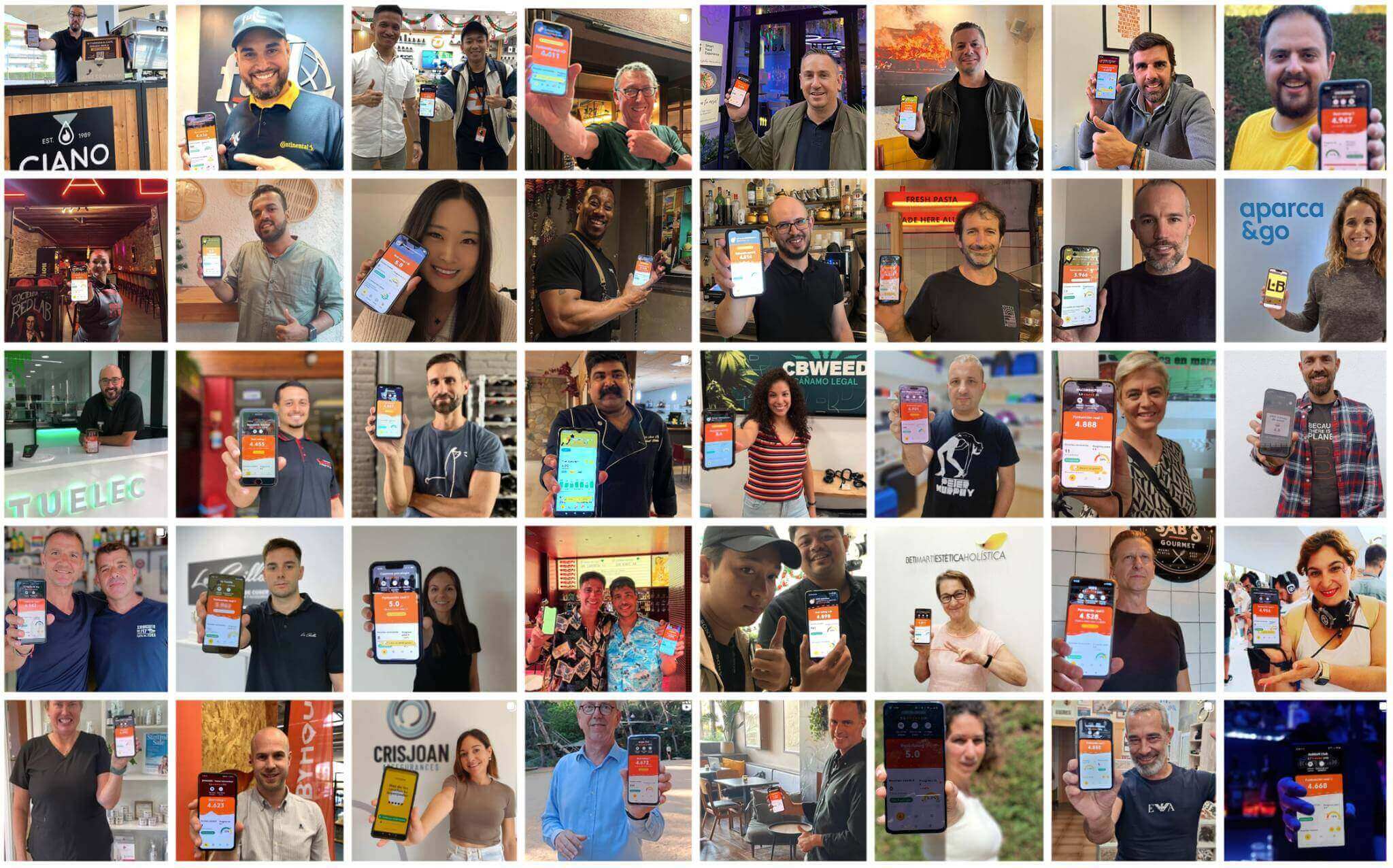
Frequently asked questions
Split the work between head office and each location, and connect both on one platform. Head office defines brand tone, reply templates, targets per location, the escalation policy and incentives, and it monitors every restaurant from a consolidated view. Each location asks for reviews at the table, replies within the agreed time and acts on what guests say. Cinquo provides the roles, the consolidated dashboard and the per-location tools that make this split work.
Both, according to clear rules. Routine positive reviews can be answered automatically by AI in each location's own voice. Specific complaints are best answered by the location manager, who knows what happened. Reviews involving food safety, legal risk or suspected fake content should be escalated to head office. Writing these rules down once avoids reviews that nobody answers.
Connect each location's Google Business Profile to a multi-location platform. In Cinquo, users with the Manager role see a consolidated dashboard with every location's rating, review volume, response rate and pending replies, and they can drill down into any single restaurant. Staff users only see their own location.
Give each waiter a personal QR code or NFC card. With Cinquo, every review that comes through a personal code is credited internally to that employee, while the review on Google stays organic. You can then rank waiters and locations, coach the people who are not asking yet, and reward the ones who are.
At group level: the ranking of locations, the rating trend for each location, total review volume against target, and response rate. At location level: the rating for the current period, reviews still needed to reach the target, pending replies and reviews by waiter. Both reports should come from the same data, so head office and the locations never disagree on the numbers.
Yes. CINTIA, Cinquo's AI agent built on Gemini, learns each location's tone and history separately, so a group with many restaurants gets replies that sound local, not one generic script. Most groups automate 4 and 5-star reviews and keep human approval for negative ones, and the setting can be changed per location.
One group, many restaurants, one reputation.
Give head office the full picture and each location the tools to act. Try Cinquo free with all your restaurants.
Start free with Cinquo